Showing posts with label themes. Show all posts

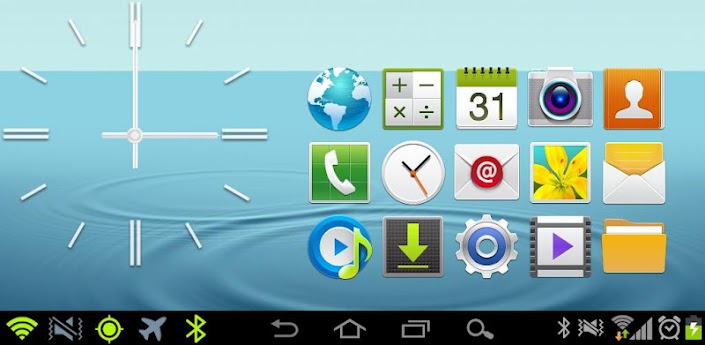
CM10 CM9 TouchWiz 5.0 theme v3.1.3 for Android

CM10 CM9 TouchWiz 5.0 theme v3.1.3
Requirements: 2.3+
Overview: CyanogenMod 10, CyanogenMod 9 & AOKP Theme: TouchWiz 5.0 for the T-Mobile theme chooser
*******Problems while installing the theme?*******
- Theme is inproperly compiled error. Solution: Set system theme, reboot your phone, set TouchWiz theme
************************************************** ******
Designed for both HDPI and XHDPI devices!
Please have a look at this xda thread for instructions and feedback!
http://forum.xda-developers
[Themed non-system apps]
- Apex Launcher
- Nova Launcher
- Trebuchet
- Default launcher
- Apollo
- Google Music
- Android music player
- Poweramp
- Go Contacts EX
- Go Dialer EX
- exDialer & Contacts
- Root Explorer
- ASTRO Filemanager
- OI Filemanager
- ES File Explorer
- Solid Exporer Beta
What’s in this version:
Do you like this theme? Have a look at my Motoblur theme! https://play.google.com/store/apps/d…theme.motoblur
*******Problems while installing the theme?*******
- Theme is inproperly compiled error. Solution: Set system theme, reboot your phone, set TouchWiz theme
v3.1.3
- Themed Russian dialer
- Updated Calculator theme
v3.1.2
- Notification area in SGS3 JB style
- Merged some new JB icons
- Bug fixes
More Info:
Code:
https://play.google.com/store/apps/details?id=com.thomassafca.theme.touchwiz
Download Instructions:
http://ul.to/iymfy38v
Mirror:
http://www.HenchFile.com/

Flow Theme for AOKP/CM9 v1.5.1 for Android

Flow Theme for AOKP/CM9 v1.5.1
Requirements: Android 4.0+
Overview: “For anyone that having problems with apply the theme or getting errors apply the default theme first then reboot and apply the flow theme”
Hello every one

[break]
This theme works with AOKP/CM9 and it supports [XHDPI/HDPI] screen resolutions! AND now works with Paranoid Rom too!
I tried to make this theme as bugfree as possible with a really clean and elegant look.
Almost every thing is theme with 15 UNIQUE! new android icon redesigned from scratch!
You’ll really understand how great this theme looks on SAMOLED screens.
WHAT IS NEW TO THIS THEME?
Improved Soft keys
New very clean and modern blue system color
15 New system icon with HD quality clean and sharp
and they give a new fresh look to Android
New cleaner settings look
New switchers
New Volume sliders
New Contacts design
New Messaging design
New clean and modern blue Spinner animation
New design for notification panel
New dialer
New and really awsome camera design!
Improved compatibility with Nova, Trebuchet and Apex Launchers
What’s in this version:
UPDATE: 27/8/2012
——————–
Revert old status bar toggles
Revert Softkeys (improved will come)
Revert Spin Animation (improved will come)
Revert Dock Icons (improved will come)
New Popups
New Paranoid Settings Icon
… Bugfixes
Coming next: Camera icon and UI
More Info:
Code:
https://play.google.com/store/apps/details?id=com.flow.theme.flow

Download  Flow Theme for AOKP/CM9 v1.5.1, via http://ul.to/
Download  Flow Theme for AOKP/CM9 v1.5.1, via http://www.HenchFile.com/
Download  Flow Theme for AOKP/CM9 v1.5.1, via http://rapidgator.net/

Aurora GO LauncherEX Theme v1.0 for Android

Aurora GO LauncherEX Theme v1.0
Requirements: Android 2.0 and up
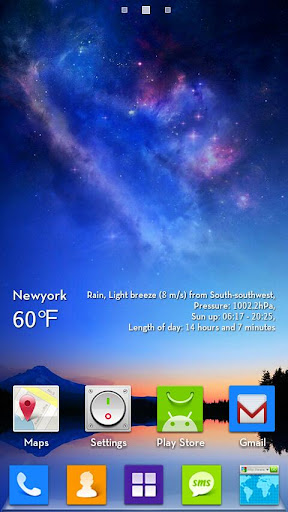
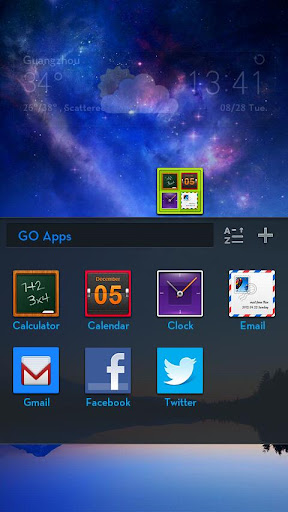
Overview: Features: Currently 30+ icons, Wallpaper of the topic, The weather widget named”Weather forecast”on the screenshot
Aurora GO LauncherEX Theme v1.0


Notice:
GO launcher theme is only available for phones with GO Launcher EX installed.
Search a€œGO Launcher EXa€ on Google Play Shop and install it for free.
***How to Apply the Theme
1. Directly open the theme after successful installation.
2. or back to Menu>Theme, choose a theme you like and apply it to your phone.
***How to Change Wallpaper
Click Menu>Wallpaper, and select the wallpaper you like.
***How to Change App Icons
(Some devices might not automatically apply the icons)
Long press some app icon>Replace>Themea€™s icon, and then choose the icon you like.
More Info:
Code:
https://play.google.com/store/apps/details?id=com.gau.go.launcherex.theme.F.aurora

Download  Aurora GO LauncherEX Theme v1.0, via http://rapidgator.net/
Download  Aurora GO LauncherEX Theme v1.0, via http://www.rapidfileshare.net/

Squared GO Launcher EX Theme v1.0 for Android

Squared GO Launcher EX Theme v1.0
Requirements: 2.0 and up
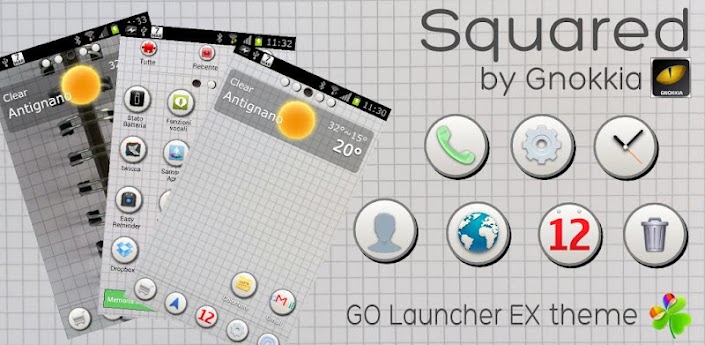
Overview: Get a chance to install fine art on your phone!
SQUARED THEME with 55 ICONS!
Clean and bright style for your life and phone!
Wonderful details, high readibility!

[break]
TRY ALSO THE MATCHING GOSMS THEME! GO SMS SQUARED.
Absolutely real hi-res photos for 3 different wallpapers.
No more words: install a REAL Gnokkia themes and discover the difference!
Be the first to use it! Especially made to enhance the taste of art. A professional user’s experience.
You MUST have GO Launcher EX installed! If not, it’s available for free in Google Play.
To apply the theme within GO Launcher EX : MENU >preferences >theme preferences >choose the theme and apply.
Please note: in order to get the best user’s experience, set ON the High Quality Drawing in Advanced Setting.
Get a chance to install fine art on your phone!
Special Features:
-Special HD icons from vectorial graphic art
-Unique wallpaper
-High quality graphics and all elements skinned
-Maximum readibility
How to change wallpaper:
Click Menu >Wallpaper, and select the wallpaper you like
How to change App Icons:
Long press some app icon >Replace >Theme’s icon, and then choose the icon you like.
Feel free to contact us for any suggestion!
More Info:
Code:
https://play.google.com/store/apps/details?id=com.gau.go.launcherex.theme.squared_by_gnokkia

Download  Squared GO Launcher EX Theme v1.0, via http://www.filedwon.com/
Download  Squared GO Launcher EX Theme v1.0, via http://rapidgator.net/
Download  Squared GO Launcher EX Theme v1.0, via http://www.HenchFile.com/

SunShower GOLauncher EX Theme v1.0 for Android

SunShower GOLauncher EX Theme v1.0
Requirements: 2.0 and up
Overview: SunShower GOLauncher EX Theme

[break]
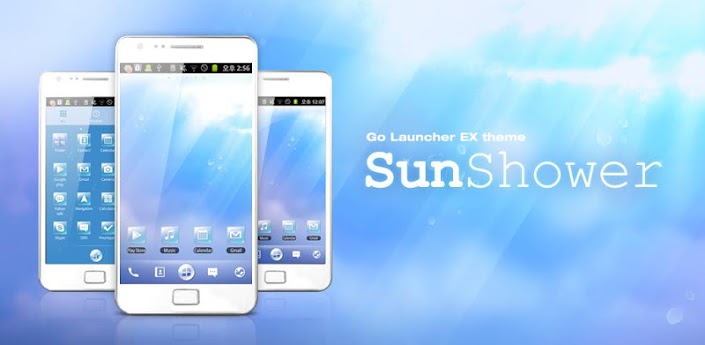
Pure style, SunShower GoLauncher Ex Theme, designed by Namu studio, is available now!
Stylish, Glass and Clean style Go Launcher theme, covers icons, wallpaper, folders interface and app drawer.
Get it and have a completely new makeover of your smartphone with android OS at once!
Main features
– 50 glass style icons
– Pure style Wallpaper
– New folder interface experience
– Special app drawer skin
tips
– This is not a standalone theme. Please make sure the GO Launcher EX
has been installed! (Search a€œGO Launcher EXa€ to download)
– Apply the Theme: Do Not open app directly after it has been
installed, The right way is to go to MENU->Themes->Choose a€œSunShowera€theme.
Thank You for your download and I hope you will enjoy the theme!
*Please donA´t forget to RATE and post Comments. Thanks ! *
More Info:
Code:
https://play.google.com/store/apps/details?id=com.gau.go.launcherex.theme.NamuSGlassSunShower

Download  SunShower GOLauncher EX Theme v1.0, via http://www.filedwon.com/
Download  SunShower GOLauncher EX Theme v1.0, via http://www.HenchFile.com/
Download  SunShower GOLauncher EX Theme v1.0, via http://rapidgator.net/file

Jelly Bean HD Theme 5 in 1 v1.8 Android themes

Jelly Bean HD Theme 5 in 1 v1.8
Requirements: 1.6+
Overview: Theme, designed for Go Launcher, Apex launcher + lockscreen + gowidget theme now


[break]
WORKS WITH:
☑ Go Launcher EX
☑ Nova Launcher
☑ Apex Launcher
☑ ADW Launcher Ex
☑ ADWLauncher Free
☑ Go Launcher HD tablet
☑ OpenHome 6
☑ Rabbit Launcher
☑ Launcher Pro
☑ MX Home
☑ Launcher-X ◇◇ Jelly Bean HD Theme GO Launcher EX Theme, specially designed for GO Launcher EX ◇◇
Provides delicate app icons,Desktop Visualizer DVR, wallpapers, folder and app drawer interface. Get it right now and have a completely new makeover of your Android smartphone.
Get the look of Android 4.1 ‘Theme Jelly Bean’ for your favorite launcher!
JELLYBEANS Theme Style theme that works with:
☑ GO LAUNCHER
☑ Walpaper design and resolution
☑ GO Email Widget
☑ GO Task Manager Widget
☑ GO Twitter Widget
☑ GO Message Widget
☑ Go SMS PRO
☑ Go Locker
☑ Go Widgets
☑ GO Contacts Widget
☑ GO Facebook Widget
☑ GO Search Widget
☑ GO SMS / MMS Widget
☑ GO Switch Widget
This is a launcher theme “for Apex, Nova, ADWEX, ADW.Launcher,Launcher-X, MX Home, LP, RabbitLauncher, Circle Launcher, Crazy Home, Open Home, VTL Launcher notifications, go widgets anything else. It WILL change the graphics and icons for many popular launcher replacements!
★Features
☆ New streep Folder!
☆ Jellybean concept system icons!
☆ Wallpaper HD pack included
☆ ADW Theme support
☆ Apex Theme support
☆ Launcher Pro theme (only icons)
☆ Support for Desktop Visualizer
☆ Support for Folder Organizer
Notes
★Install Lockescreen:★
Make sure GO Launcher EX or above and GOLocker Ex v1.33 has been installed;
Click Go locker ->
Menu select installed ->
choose a theme you like and apply it to your phone.
★Launcher Pro★
Phone Settings ->
Applications ->
Manage Applications->
choose Launcher Pro, select ‘Clear Data’ and then try to load the icons again.
theme may also work with Apex Launcher customizable, Nova Launcher, Support for Desktop Visualizer, mxHome, Launch-X, Crazy Home Lite, dxTop Lite, Open Home paid, Open Home free, VTL Launcher, Circle Launcher Paid and more!
ADW users need to manually change the app drawer icon on their homescreen. It can not be done automatically. Long-press or double-tap, choose edit. Select the icon and then choose ADWTheme IconPacks. Choose the theme and then pick the icon of your choosing. We’ve included a couple!
★This theme has the option to move to the SD card.
risks custom icons not loading correctly because of the way the launcher load the SD card.
DESIGNED FOR XHDPI. YOUR RESULTS MAY VARY WITH OTHER SCREEN RESOLUTIONS
metroロック画面 Hot Girls Touchwiz 5
What’s in this version:
v 1.8
New Note Go Widget
5 new icons
More Info:
Code:
https://play.google.com/store/apps/details?id=com.go.launcherex.jellybean.ics.theme
Download Instructions:
http://rapidgator.net/file/34651187/jj18.apk.html
Mirror:
http://ul.to/tddmk6xu

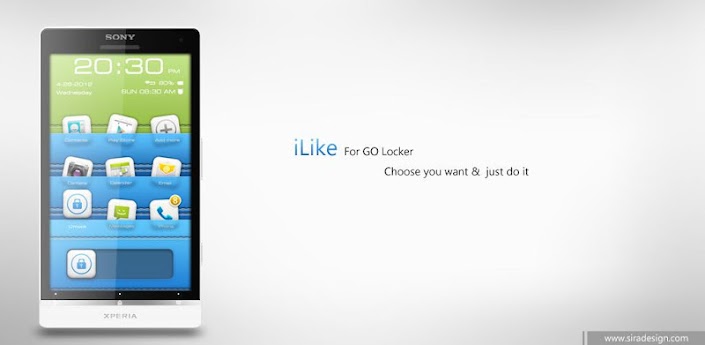
iLike GO Locker Theme v1.03 Android Apps

iLike GO Locker Theme v1.03
Requirements: Android 2.0 and up
Overview: *Here comes the new theme, iLike. Hope you like the fresh and clean style. There are some notices I’d like to point out:


1. iLike theme requires 480*800 resolution or above to achieve the best effect. Please do consider if your phone resolution is lower than 480*800.
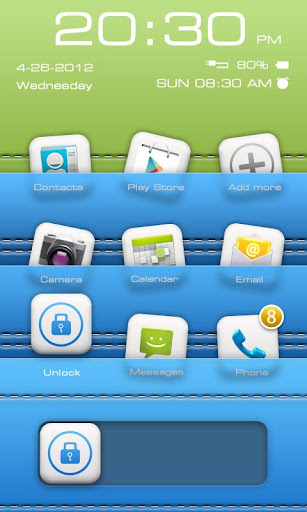
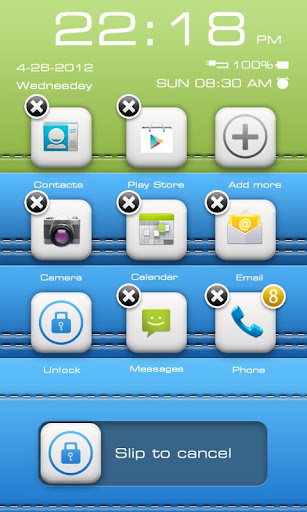
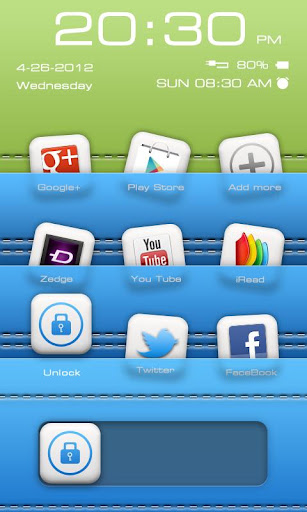
2. Add any 7 application shortcuts to the locker screen. Add one by one to set the apps order.
===Features:
1. Add any 7 application shortcuts to the locker screen and access to the application you want to open while unlocking the screen.
2. Fresh and clean as the style is, it just looks like your containing box of your phone.
===Installation instructions:
1. Make sure GO Launcher EX V2.58 or above and GO Locker v1.05 has been installed;
2. Click Menu>Plugins>GO Locker, choose a theme you like and apply it to your phone.
More Info:
Code:
https://play.google.com/store/apps/details?id=com.jiubang.goscreenlock.theme.ilike
Download: Released by chathu_ac
http://adf.ly/147409/http://rapidgator.net/file/34756127/iLike_GO_Locker_Theme_v1.03.zip.html

http://adf.ly/147409/http://www.rapidfileshare.net/u3lfshgo7no8/iLike_GO_Locker_Theme_v1.03.zip.html

GO Launcher EX v3.13 beta5

GO Launcher EX v3.13 beta5
Requirements: Android v2.1+
Overview: GO Launcher EX is the extended version of GO Launcher, one of the most popular home apps in Android Market. It’s a highly customizable home replacement application, which will run when you press your android phone’s HOME key. GO Launcher EX supports hundreds of themes, fast flip speed and tons of useful functions.

[break]
=About GO Launcher=
GO Launcher is the most popular home app in Android Market. It allows users to customize home screen, change themes, use smooth transition animation as well as various widgets and screen locks. It brings you a fresh and extraordinary mobile operation experience.
=Features=
- Thousands of personalized themes
- Various widgets and screen locks (weather, switcher, calendar…)
- Extremely smooth transition animation
- Smooth flipping operation
- User-defined folder to easily categorize apps
Many options in preferences to help you customize you phone!
=Tips=
1. How to get themes, widgets and lockers?
a) Search ‘go launcher theme’, ‘go widget’ or ‘go locker’ in Android Market.
b) Use GO Store via menu button in GO Launcher.
2. How to set transition animation?
Use ‘Effects settings’ via button in GO Launcher.
3. Icons are too small?
Use ‘Icon Size’ option in ‘Preferences->Visual settings->Icons’ to make icons bigger.
3. Long press the app icon to enter editing mode on home screen and app drawer.
4. Glide up to open menu and glide down to pull down notification.
5. The widgets in the screenshots belong to GO Widget, attainable from Android Market or GO Store.
=Important=
1. GO Launcher is a totally free app without any charge.
2. If you cannot set ‘GO Launcher’ as the default home app, download ‘Home Manager’ to fix it.
3. ‘DIRECTLY CALL PHONE NUMBERS’ permission?
It’s required by the feature to create shortcuts of ‘person’ and ‘direct dial’. GO Launcher won’t make unattended phone call and cost your money.
5. ‘READ CONTACT DATA’ permission?
It’s required by the feature to create ‘person’ shortcut as well as to add contact folder.
Our commitments are respecting user privacy and delivering cool experience. Please help us by rating this app and recommending to the others.
Want an extreme makeover to your phone? Try it out!
Follow Us on
Facebook: http://www.facebook.com/pages/GO-Launch … 9522355878
Twitter: https://twitter.com/#!/golauncher
Owned by and Visit 3G.cn Through Your Mobile.
Copyright 2004-2011 All Rights Reserved.
Recent changes:
1. (New) Share desktop layouts with friends;
2. (New) Supports icon squeeze effect of Android 4.1;
3. (Improve) Promote fluency of home screen;
4. (Improve) Change icons on folders;
5. (Improve) Vertical continuous circularly in app drawer;
6. (Improve) Update UI3.0 theme(Including UI3.0 icon packs).
More Info:
Code:
https://play.google.com/store/apps/details?id=com.gau.go.launcherex

Download  GO Launcher EX v3.13 beta5, via http://rapidgator.net/

GO Launcher EX v3.13 beta4 Android Apps

GO Launcher EX v3.13 beta4
Requirements: Android v2.1+
Overview: GO Launcher EX is the extended version of GO Launcher, one of the most popular home apps in Android Market. It’s a highly customizable home replacement application, which will run when you press your android phone’s HOME key. GO Launcher EX supports hundreds of themes, fast flip speed and tons of useful functions.

=About GO Launcher=
GO Launcher is the most popular home app in Android Market. It allows users to customize home screen, change themes, use smooth transition animation as well as various widgets and screen locks. It brings you a fresh and extraordinary mobile operation experience.
=Features=
- Thousands of personalized themes
- Various widgets and screen locks (weather, switcher, calendar…)
- Extremely smooth transition animation
- Smooth flipping operation
- User-defined folder to easily categorize apps
Many options in preferences to help you customize you phone!
=Tips=
1. How to get themes, widgets and lockers?
a) Search ‘go launcher theme’, ‘go widget’ or ‘go locker’ in Android Market.
b) Use GO Store via menu button in GO Launcher.
2. How to set transition animation?
Use ‘Effects settings’ via button in GO Launcher.
3. Icons are too small?
Use ‘Icon Size’ option in ‘Preferences->Visual settings->Icons’ to make icons bigger.
3. Long press the app icon to enter editing mode on home screen and app drawer.
4. Glide up to open menu and glide down to pull down notification.
5. The widgets in the screenshots belong to GO Widget, attainable from Android Market or GO Store.
=Important=
1. GO Launcher is a totally free app without any charge.
2. If you cannot set ‘GO Launcher’ as the default home app, download ‘Home Manager’ to fix it.
3. ‘DIRECTLY CALL PHONE NUMBERS’ permission?
It’s required by the feature to create shortcuts of ‘person’ and ‘direct dial’. GO Launcher won’t make unattended phone call and cost your money.
5. ‘READ CONTACT DATA’ permission?
It’s required by the feature to create ‘person’ shortcut as well as to add contact folder.
Our commitments are respecting user privacy and delivering cool experience. Please help us by rating this app and recommending to the others.
Want an extreme makeover to your phone? Try it out!
Follow Us on
Facebook: http://www.facebook.com/pages/GO-Lau…10639522355878
Twitter: https://twitter.com/#!/golauncher
Owned by and Visit 3G.cn Through Your Mobile.
Copyright 2004-2011 All Rights Reserved.
Recent changes:
1. (New) Share desktop layouts with friends;
2. (New) Supports icon squeeze effect of Android 4.1;
3. (Improve) Promote fluency of home screen;
4. (Improve) Change icons on folders;
5. (Improve) Vertical continuous circularly in app drawer;
6. (Improve) Update UI3.0 theme(Including UI3.0 icon packs).
Less description »
Latest version: 3.13 beta4 (for Android version 2.1 and higher)
More Info:
Code:
https://play.google.com/store/apps/details?id=com.gau.go.launcherex

Download  GO Launcher EX v3.13 beta4, via http://rapidgator.net/

MIUI X4 Go Launcher Theme PRO v1.12 Apk Android

MIUI X4 Go Launcher Theme PRO v1.12
Requirements: 2.2+
Overview: MIUI X4 Theme PRO/DONATE for Go Launcher Ex
The Icon Pack is also compatible with NOVA Launcher AND Apex Launcher


This is a PRO/DONATE VERSION of the Theme, there is also a FREE VERSION in the Market. It takes a lot of time and effort to create this Theme and if you would like to honor the hours I am putting into adding activities and Icons to the Theme buy the Pro/Donate Version. All Icons are free of use and can be found in my Blog or on XDA in the Miui V4 Project Vexillum topic. FREE Version = up to 677 Icons
PRO/DONATE VERSION = more than 1553 Icons
I am splitting it up because at one point there will be too much Icons to change it by hand. GoLauncher will crash because of too much Icons loaded into the Ram. I love my Icons and never changing any Icon. Therefore, this Theme it is split into the FREE Version with 677 Icons, where everybody can change the Icons and the PRO/DONATE Version where every week are added more and more Icons. But be aware that the Pro/Donate Version can’t change Icons when 800 Icons are exceeded.
This Theme is based on the MIUI V4 Theme of ProjectVexillum at XDA. I created some Icons by myself and will do it also in future, but it is a Community Project.
>>>>>>>>> FEATURES <<<<<<<<<<<
+ 1553 Icons in the Theme ( Version 1.9 )
+ HDPI and MDPI Screen compatible
+ Go Launcher EX Theme
+ Nova Launcher compatible
+ Apex Launcher compatible
+ 84 Pixel Icons ( HIGH QUALITY )
+ New Folder Design
+ New App Drawer Design
+ Cool Wallpaper
>>>>>>>>> TUTORIAL <<<<<<<<<<<
1. click in the Market on download and install the Theme
2. click on the Menu Button on your Phone at the Homescreen and choose Themes
3. search for the MIUI X4 PRO Theme and click on “Apply”
NOTIZ! Usually an update should be displayed automatically. If you don’t see the new Icons just kill GoLauncher or try to switch the theme and back to the MIUI X4 PRO Theme.
What’s in this version:
Version 1.12
- only solved some problems due to ldpi and mdpi
More Info:
Code:
https://play.google.com/store/apps/details?id=com.go.launcherex.newmiuiv4.donate

Download MIUI X4 Go Launcher Theme PRO v1.12, via http://rapidgator.net/
Download MIUI X4 Go Launcher Theme PRO v1.12, via http://aavg.net/
Older Post ►
eXTReMe Tracker
 

Copyright 2011 PIONEER ANDROID™ is proudly powered by blogger.com